Multi-Branch Salons · Singapore
When each branch keeps its own records, a client who visits a second location starts from scratch — no history, no package balance, no recognition. OrderZ connects all your salon branches so every client is known everywhere.
Used by Singapore salon groups with 2-8 branches.

The daily pressure
A client who books at your Orchard branch builds a service history and a package balance at that location. When she visits your Tampines branch, she is unknown. A poor cross-branch experience makes her unlikely to visit that branch again.
A client who purchased a $500 hair treatment series at Branch 1 cannot redeem it at Branch 2 unless staff manually call Branch 1 to check the balance. In a centralised system, the balance is visible at every branch.
When your best stylist moves from Branch 1 to Branch 2, her loyal clients who follow her have no service history at Branch 2 — even though the record exists at Branch 1. A centralised record means the relationship travels with the stylist.
Collecting daily revenue from three or more branches by WhatsApp or phone takes 30-60 minutes per evening. Over a year, that is 180-360 hours of owner or manager time a central dashboard replaces with a five-second glance.
When a price change is communicated to three branch managers and each applies it at a different time, your business runs at three different prices for the same service during the transition window.
Every new branch in a non-central system requires a separate POS setup, a separate client database, and a separate reporting process. OrderZ reduces new branch setup to under one day.
Setup, simplified
OrderZ onboarding starts with your main branch — service menu, pricing, stylist roster, and booking configuration. The central menu becomes the foundation for all branches. Most primary branch configurations are complete in one day.
Each additional branch is added to the same OrderZ account. It inherits the central menu and booking configuration immediately. Branch-specific services are added where needed.
Client records from all branches are merged into a single OrderZ database. Where the same client has records at multiple branches, the records are unified under one profile.
From the day all branches are live, you see consolidated revenue, appointment count, and stylist performance from every location in real time. Weekly and monthly reports are generated automatically per branch and group-wide.
From configuring your primary branch to a full group dashboard — most salon groups are fully connected within two to three days.
The platform
Every client record in OrderZ is accessible at every branch. Service history, colour formulas, treatment notes, preferred stylist, and package balance are all shared.
A client who buys a treatment series at Branch 1 can redeem sessions at any branch in the group. Each redemption updates the balance in real time across all locations.
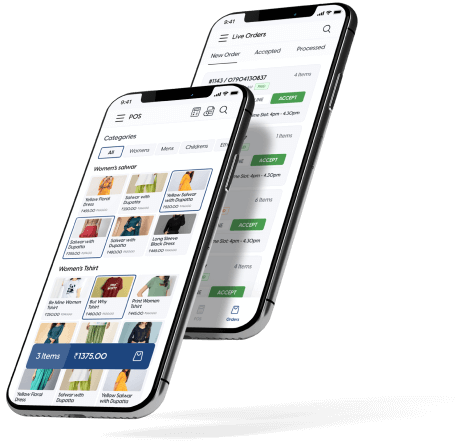
See real-time revenue, appointment count, and transaction data from every branch in one dashboard. Compare branch performance side by side.
Your core service menu and pricing live in OrderZ once and apply to all branches simultaneously. Price updates and promotions apply everywhere the moment you save them.
Every branch booking calendar is visible in your central OrderZ account. Accept online bookings at every branch from one shared booking link with a branch selector.
When a stylist moves from Branch 1 to Branch 2, her client records and service history are already accessible at the new branch from day one.
Track revenue, appointment count, and package sales per stylist at each branch and across the group. Performance management is data-driven across every branch.
Adding a new branch to OrderZ takes under one day. The new location inherits the central menu, client database, booking workflow, and reporting structure.
What changes
When a client with an active hair colour series at Branch 1 walks into Branch 2, staff see her complete service history and package balance before she finishes explaining who she is.
OrderZ shows real-time revenue, appointment count, and transaction data from every branch in one dashboard. Revenue consolidation becomes a five-second check, not a 45-minute process.
Update a service price or launch a promotion in the OrderZ central dashboard. Every branch reflects the change simultaneously. No branch runs the old pricing.
When you open a new salon branch, it inherits the central menu, client database, booking workflow, and reporting structure from OrderZ. Expansion no longer requires rebuilding your business from zero each time.
Trusted in Singapore
Tracking client packages used to be the most stressful part of our week. Since we moved to OrderZ, the system handles it automatically. We haven't had a single package dispute in months.
We couldn't get a clear picture of each branch without calling every manager. OrderZ changed that. I check the dashboard on my phone every morning — all three branches in one view.
Testimonials are placeholders pending written client sign-off.
Questions
OrderZ is used by Singapore salon groups with 2-8 branches. Our onboarding team connects your first branch in one day and adds remaining locations within days, not weeks.
Live in 1 day
Shared client records
Cross-branch packages
Central revenue dashboard
Singapore setup team